The Challenge
Habilitering & Hälsa in Stockholm provides support and services for individuals with developmental disabilities, including attention deficit hyperactivity disorder (ADHD). The challenge was to design a digital solution that can be implemented directly on their website.
Project Overview
One Tiny Widget is a micro-interaction concept exploring how a single, non-invasive yet persistent tool can reduce friction and cognitive load for users with ADHD.
Instead of full dashboards, menus, or multi-step flows in a complete web app, the project investigates what happens when complex tasks surface through a minimal, always-available widget.
Core Problem
Users with ADHD often face unique challenges with digital interfaces. Too many entry points create decision paralysis, hidden functionality requires excessive memory load, mode switching fragments attention, and high cognitive overhead makes even simple actions feel insurmountable.
Traditional productivity tools compound these issues by demanding engagement with entire systems, when the user simply wants to accomplish one small thing.

How small and simple can an interface be while still remaining useful, intelligible, and respectful of the user's attention?
Starting with One Tiny Step
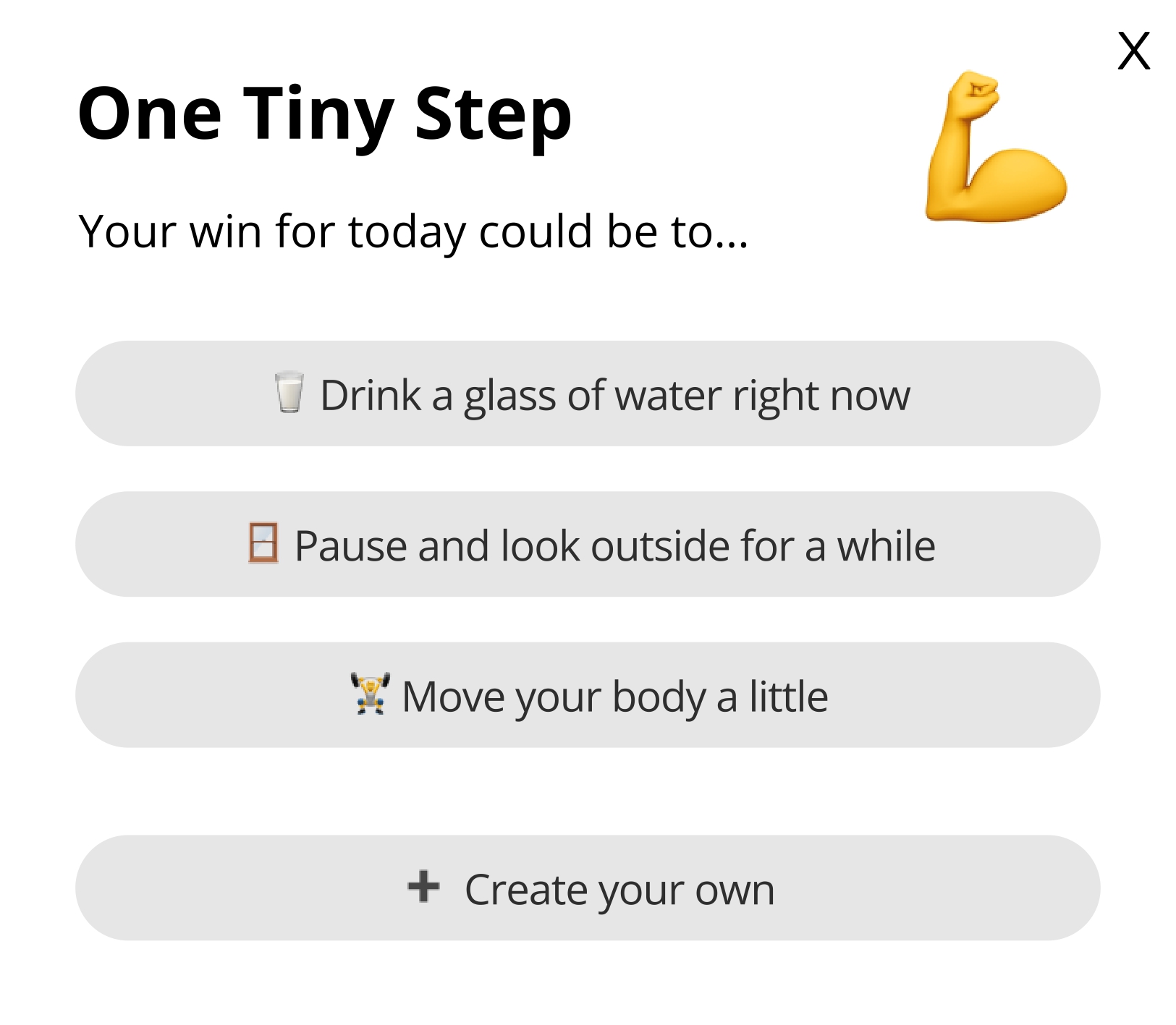
Rather than presenting a home screen full of options, the widget intentionally begins with the simplest interaction: One Tiny Step.
Only after additional engagement can the users discover other useful functionalities.
1. One Tiny Step 💪
Purpose
Enable a single, intentional micro-action through motivation.
Concept
The smallest meaningful interaction the widget supports. One action, one outcome.
Design Approach
Contemporary digital interfaces tend toward expansion – more features, more screens, more notifications. For users with ADHD, this accumulation is particularly harmful, creating environments where challenges are amplified rather than supported.
One Tiny Widget explores the opposite direction: what happens when we design for the absolute minimum viable interface?
For Habilitering & Hälsa, this offers a lightweight, embeddable solution that demonstrates their commitment to accessible design without requiring users to download or navigate complex apps.

Research & Insights
Lowering the threshold to begin.
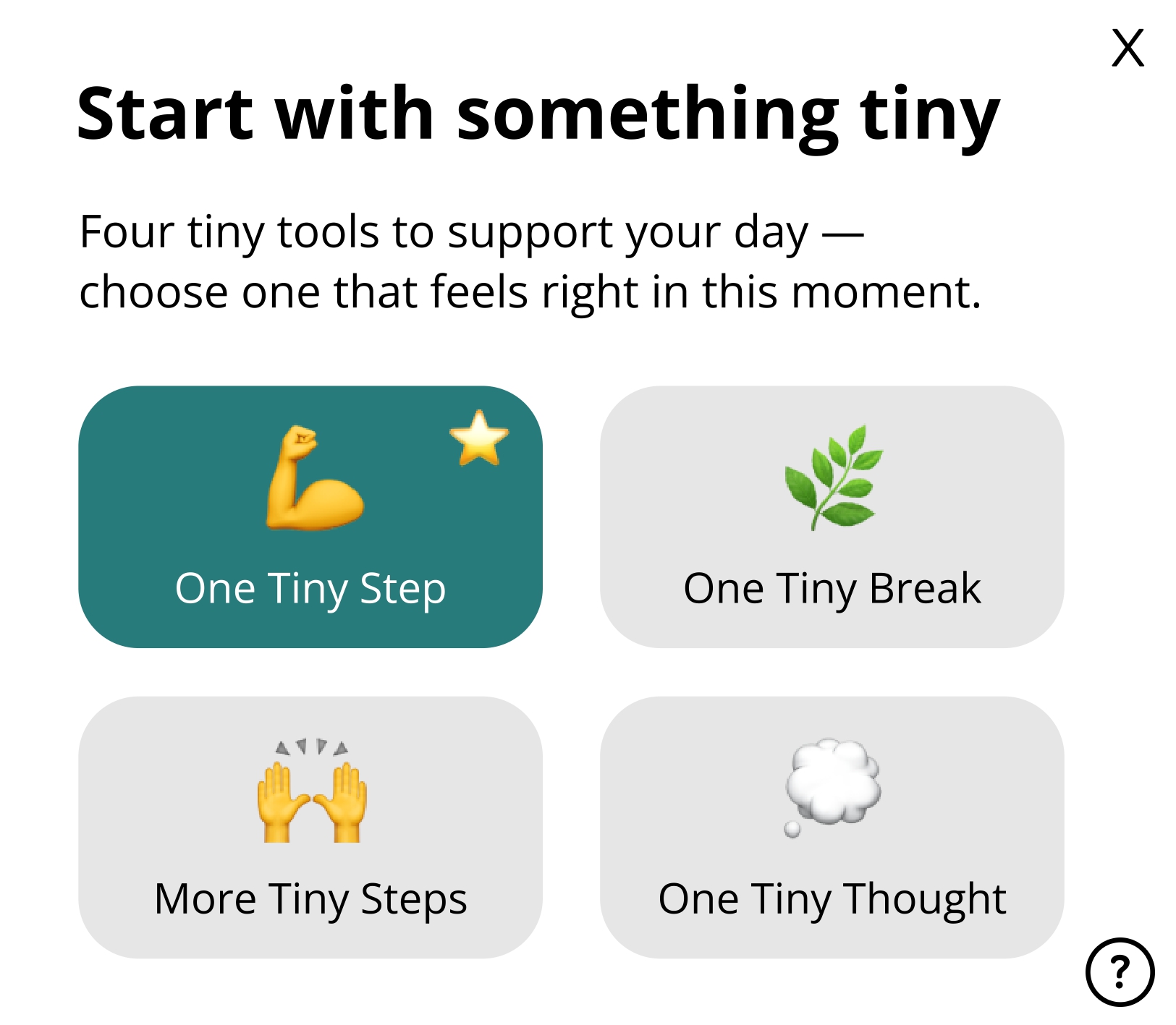
The home state immediately offers options without menus or setup. Selecting One Tiny Step leads to generated simple actions or a custom one, reducing the effort compared to tools that require planning or configuration first.
Insight: Reducing upfront decisions can make starting feel more achievable.
Working with, not against, limited focus.
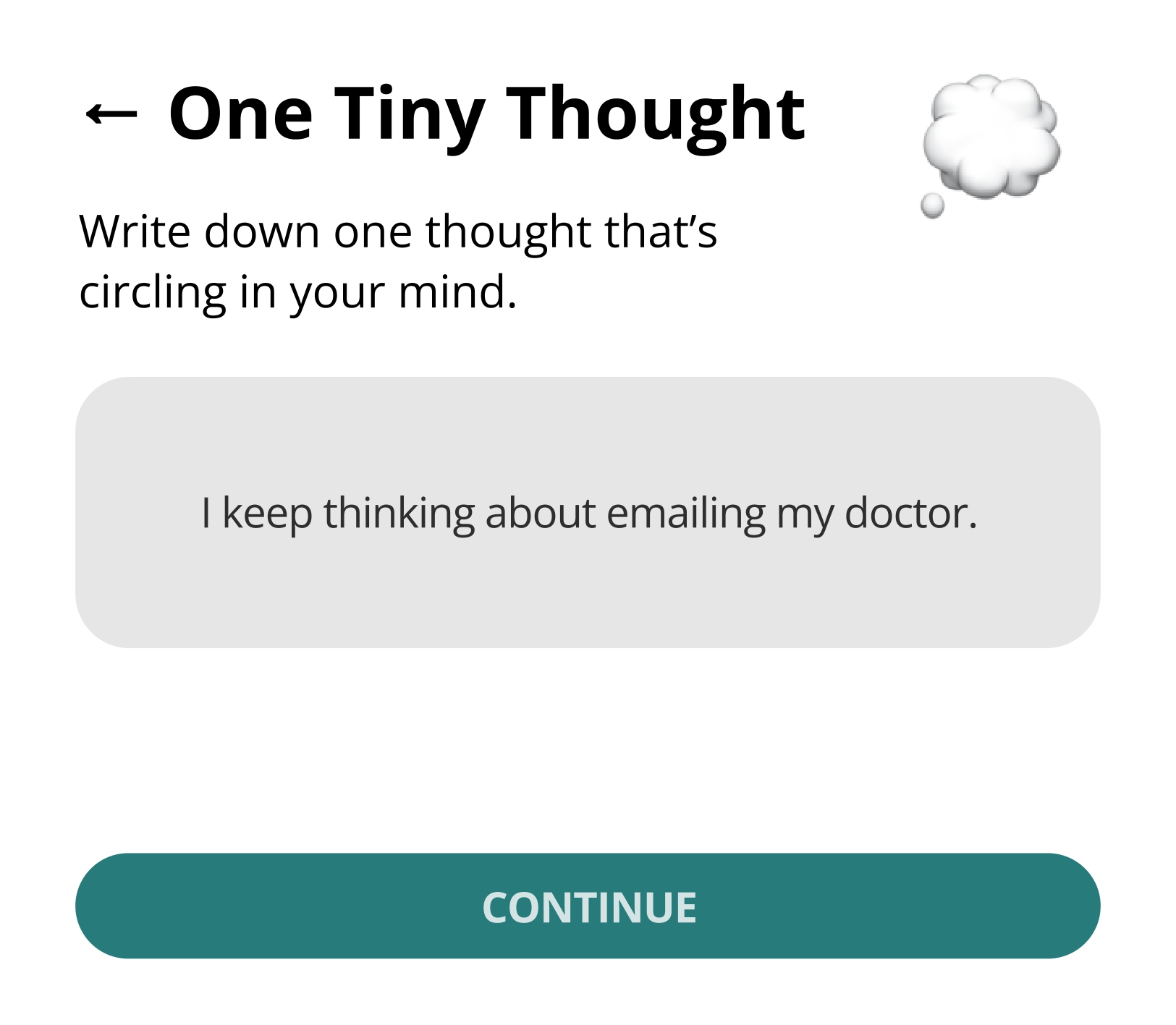
Each tool is constrained to one action at a time: one step, one break, one thought. For example, One Tiny Thought only allows writing down a single thought before asking what should happen next, preventing escalation into longer lists when undesirable.
Insight: Intentional limits can help prevent mental overload during interaction.
Action without streaks or commitment.
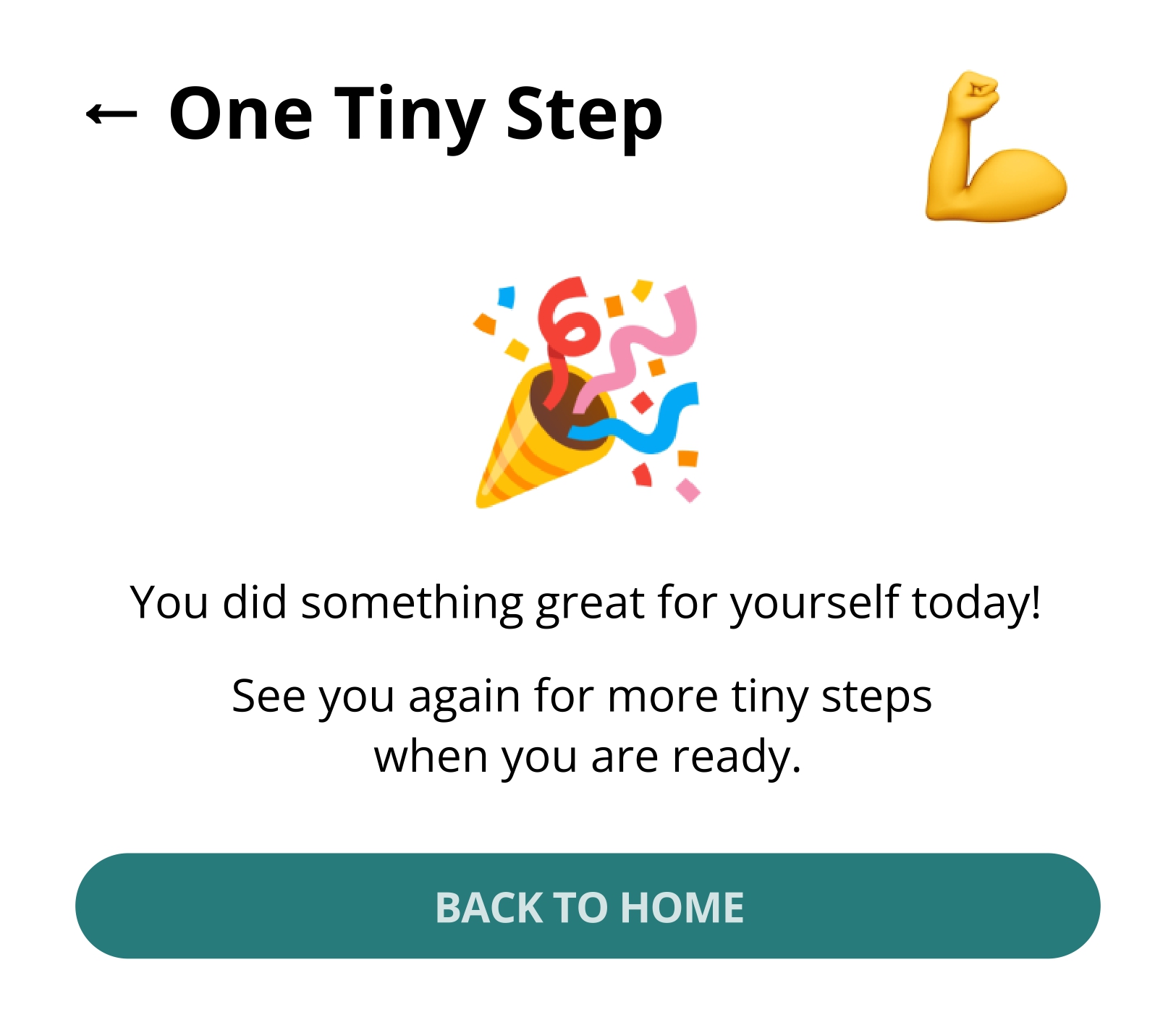
Unlike many productivity tools, actions in the widget end naturally. Finishing a timed step or break returns the user to a neutral confirmation state, without streaks, reminders, or pressure to continue.
Insight: Short, self-contained interactions can reduce the feeling of obligation.
Supporting pauses and interruptions.
Stopping is treated as normal. Users can leave after any action and return later without reconfiguration or penalty. The system state remains simple and recognisable upon return.
Insight: Interfaces that assume frequent interruption should minimise the effort to resume.
Reflection without productivity framing.
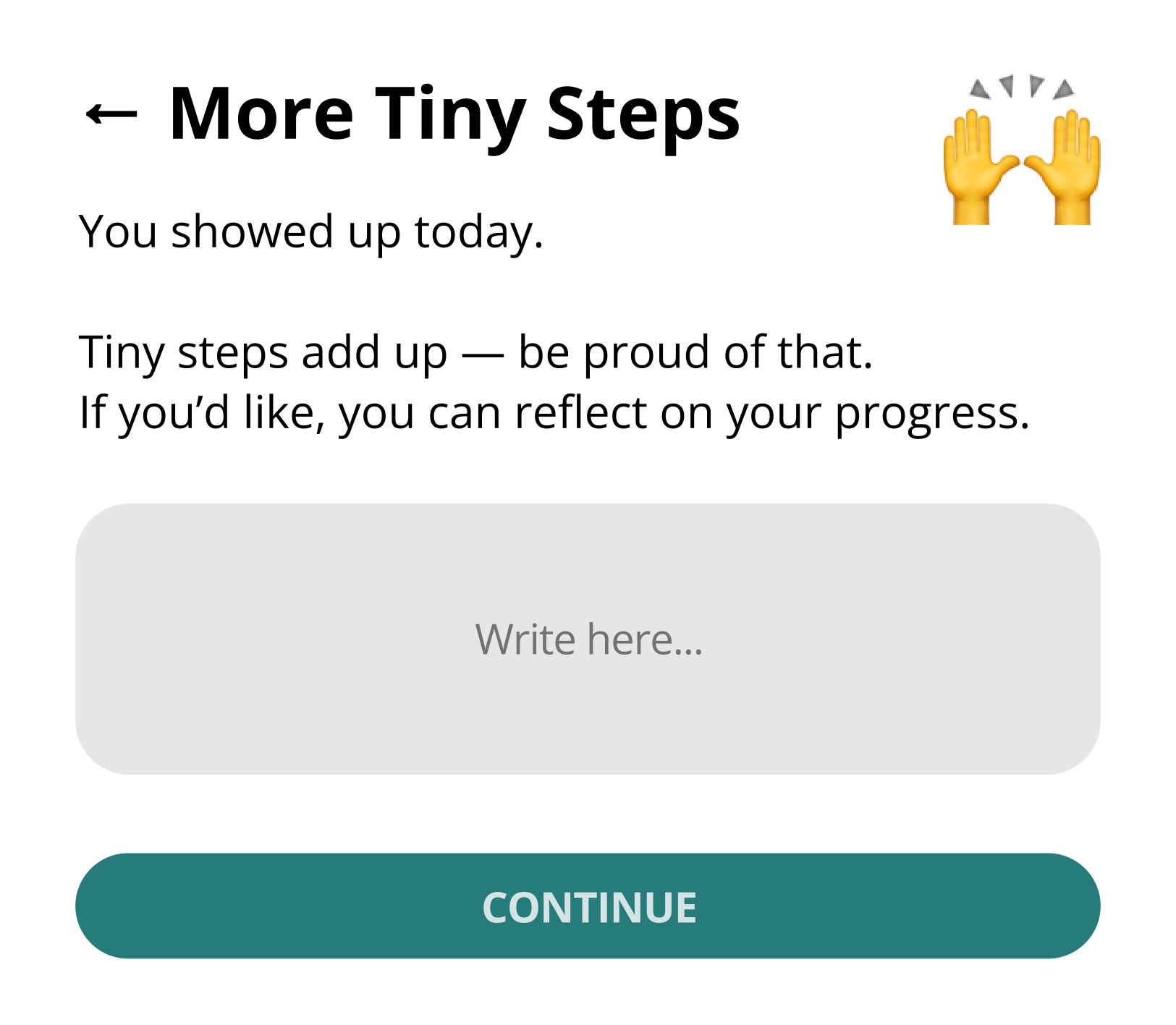
End-of-day moments in More Tiny Steps and One Tiny Thought focus on acknowledgment rather than output (e.g. “You showed up today”). Reflection is optional and never framed as optimisation or performance.
Insight: Reflection can be supportive without being evaluative.
Design Exploration: Supporting Tools
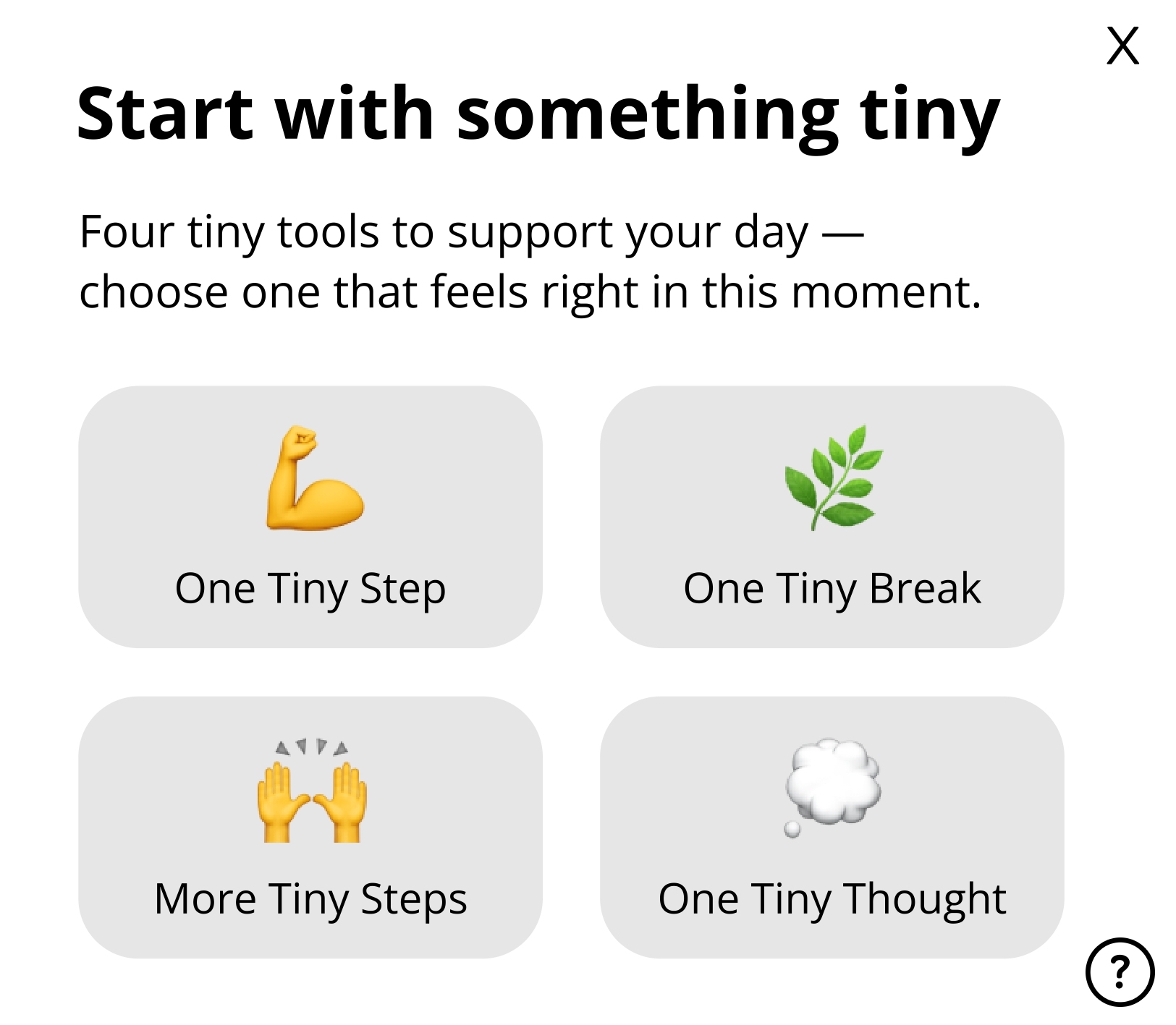
Beyond One Tiny Step, the widget includes three additional states that work together to support different moments in a user's day. Each maintains the same minimal philosophy while addressing distinct needs.

2. More Tiny Steps 🙌
Purpose
Support small progress without turning it into a larger commitment.
Concept
Users can note several small steps in one place and return to them later, without deadlines, prioritisation, or restructuring. Progress is acknowledged, but the interface remains unchanged.
3. One Tiny Break 🌿
Purpose
Support stepping away without justification or follow-up.
Concept
A timed breathing exercise with no decisions to make and no actions to complete. When the break ends, the interaction ends with it.
4. One Tiny Thought 💭
Purpose
Create a space to dare to externalise a single recurring thought, with the goal of supporting decision-making.
Concept
The user writes down just one central thought. Afterward, three simple outcomes are offered, preventing accumulation and over-processing.
The Four Tiny Actions' Home
Purpose
Help the user orient themselves without requiring a predefined goal.
Concept
After their previous interaction with One Tiny Step, the home screen presents four equally weighted starting points. The user chooses based on their current state, rather than a plan.
Limitations
One Tiny Widget is intentionally constrained in scale, scope, and ambition. While this restraint is central to the concept, it also defines clear limits to what the widget can support.

Minimal Support
By design, the widget avoids structure, prioritisation, and long-term planning. As a result, it is not well suited for tasks that require sustained coordination, complex dependencies, or external accountability. The concept focuses on moments of engagement rather than ongoing management.
This means the widget can support starting, pausing, and reflecting, but not organising or optimizing larger bodies of work.
Some of the Tiny "Constraints"...
- Only one focus at a time – no parallel or hierarchical task structures.
- No support for prioritisation of goals.
- No self-distinction between “important” and “unimportant” steps.
- No memory beyond simple carry-over (e.g. saving for tomorrow).
- No mechanism for obligation, deadlines, or external commitments.
- No adaptation based on past behaviour or usage patterns.
These boundaries prevent the widget from growing into a system... For now.
However, they also mean that its usefulness depends heavily on the context in which it is used and the expectations users bring with them.
Conclusion
The One Tiny Widget assumes situations where users benefit from reduced choice, low commitment, and lightweight interaction. In contexts that demand persistence, optimisation, or external coordination, such restraint may feel insufficient or even limiting.
Therefore, it does not aim to replace existing tools.
Its value is situational: strongest when pressure, fatigue, or uncertainty make larger systems difficult to engage with.